

Before you start
You need your own Surfer account on a plan that includes MCP. You also need a ChatGPT Pro, Plus, Business, Enterprise, or Education account with Developer mode available on the web. Availability can depend on your account and workspace policy; see OpenAI’s Developer mode guide.Connect Surfer
1
Turn on Developer mode
In ChatGPT, go to Settings → Security and login → Developer mode and turn the toggle on.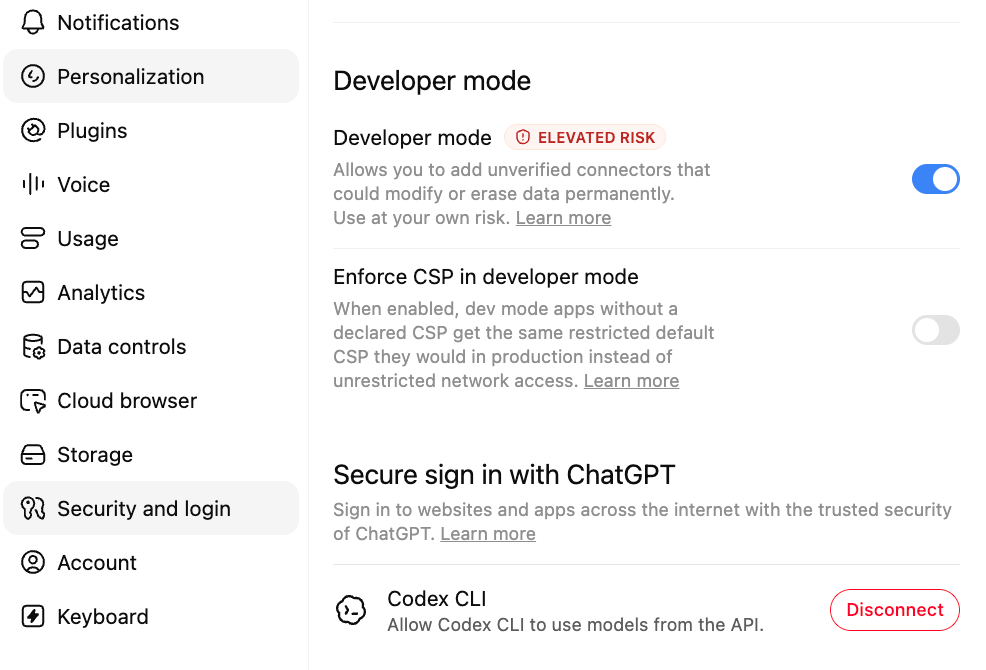
2
Create the plugin
Go to ChatGPT Plugins and select the plus button to open the New Plugin form. Fill in these fields: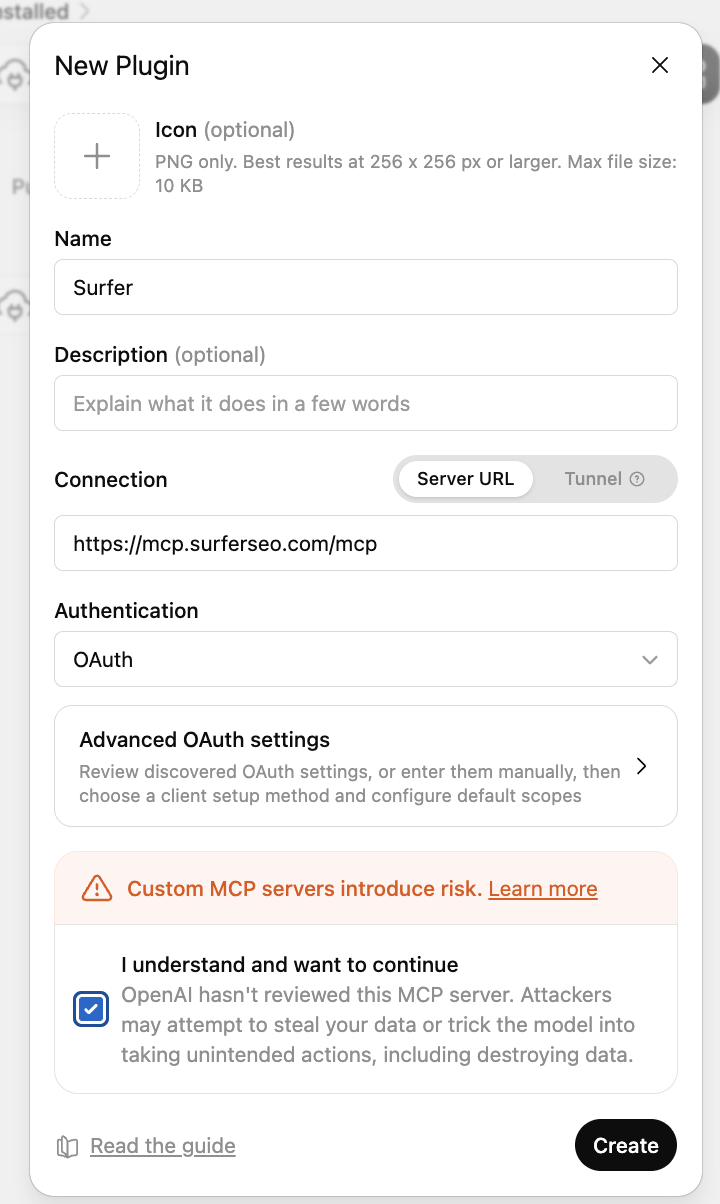
- Name:
Surfer. - Connection: Server URL, with
https://mcp.surferseo.com/mcpas the URL. - Authentication: OAuth.
3
Open Surfer sign-in
On the plugin page, select Connect. In the Add Surfer to ChatGPT dialog, select Sign in with Surfer.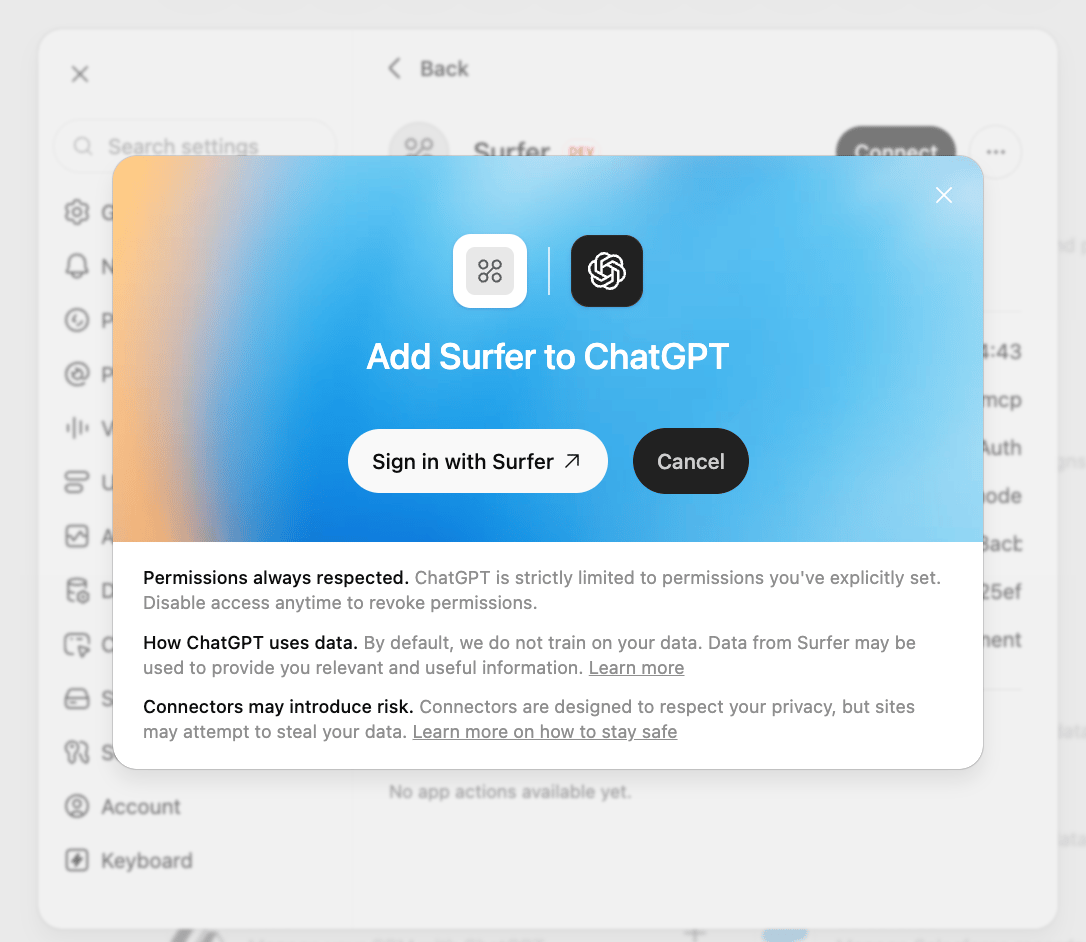
4
Authorize Surfer access
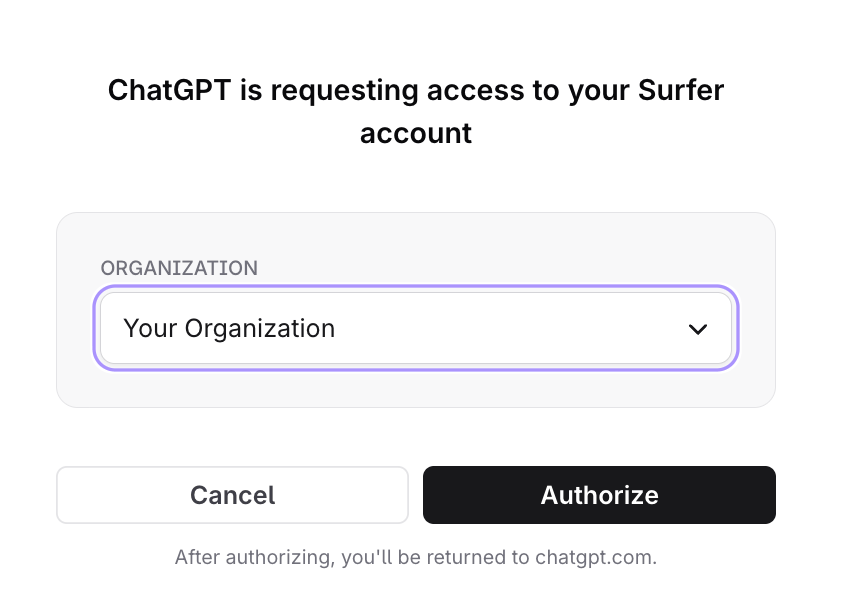
- Sign in with your Surfer account in the browser window that opens.
- Choose the organization to connect, if you belong to more than one.
- Select Authorize, then return to your client.
5
Enable Surfer in a conversation
Open a new chat. From the composer’s + → Developer mode menu, select the Surfer app for that conversation.